The case lifecycle is broken down into five categories

Cases can be displayed in two views

Grid View displays thumbnails for easy access

List View displays case details: You can configure the list view based on your preferences

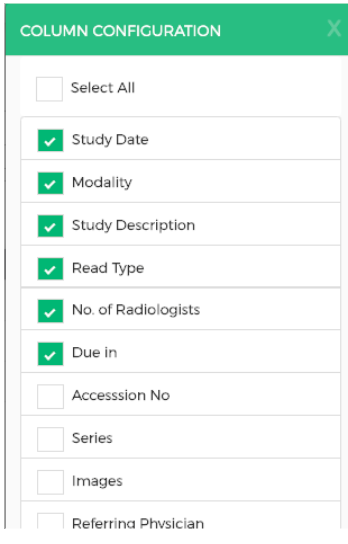
Click the Column Configuration button, this will open a pop-up where you can select the columns you would like to see in the table and also re-order the list by dragging and dropping each item in order.
Comments
0 comments
Please sign in to leave a comment.