In order to request an addendum, navigate to "Completed Cases" on your account.
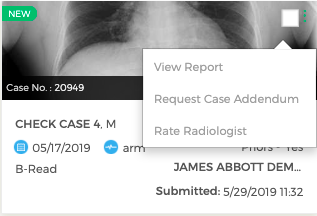
Find the case that needs an addendum. On the case card, select the bullet icon in the top right and then "Request Case Addendum"
The following pop-up will appear:
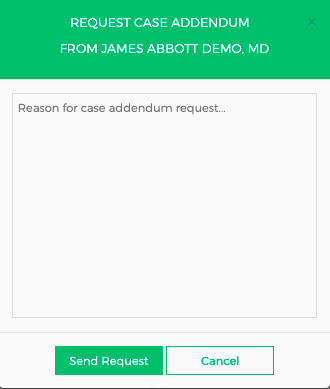
Indicate the reason for your addendum request and then "Send Request". This will direct an email to the radiologist alerting them that an addendum has been requested.
Comments
0 comments
Please sign in to leave a comment.